The WordPress Sliding Panel & Floating Side Tab Plugin for Any Website
Create vertical or horizontal sliding panels with unlimited tabs — the WordPress off-canvas sidebar and side tab plugin built for forms, announcements, and promotions.
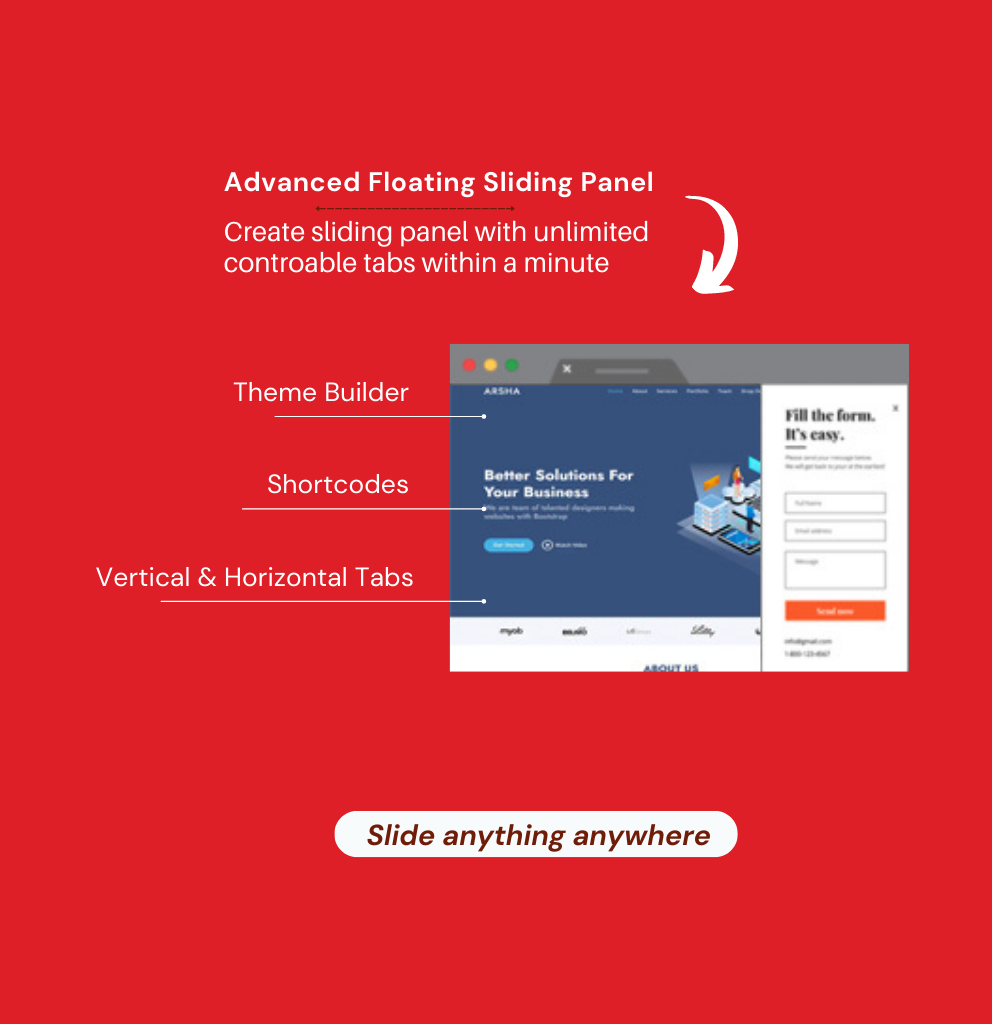
The WordPress Sliding Panel Plugin Built for Engagement
Create vertical and horizontal sliding panels with unlimited controllable tabs — the WordPress side tab and off-canvas sidebar plugin for forms, announcements, and promotions, no coding required.
257
Pro users
4.37
Average rating
19
Verified reviews
Since 2018
Actively maintained
Why it exists
Important Content Gets Buried in Static Pages
Forms, announcements, and promotions competing for space on a static page often get ignored. Advanced Floating Sliding Panel gives them their own dedicated space — a sliding panel visitors can open on demand, without cluttering your layout or editing a single template file.
Solution / What you can build
One WordPress Sliding Panel Plugin. Every Position, Every Direction.
Vertical and horizontal sliding panels with unlimited tabs — positioned left, right, top, or bottom, all from one lightweight WordPress plugin.
Vertical Sliding Panel With Tabs
Create a vertical sliding panel with single or multiple tabs to catch attention for forms, announcements, or notification panels.
Horizontal Sliding Panel With Tabs
Create a horizontal sliding panel with single or multiple tabs for top or bottom announcements and promotions.
Multiple Tabs Supported
Design unlimited tabs for any sliding panel with the built-in theme builder — pick exactly the options each tab needs.
Unlimited Sliding Panels
Create and design unlimited sliding panels with no restrictions, mixing and matching features across as many instances as you need.
Features
Everything a WordPress Side Tab Plugin Should Do. No Add-ons, No Hidden Fees.
One plugin that covers content, placement, design, and support.
Content
Shortcodes in Sliding Panel
Display any shortcode — contact forms, image galleries, sliders — inside your floating side tab panel.
Content
Custom HTML & Rich Text Content
Add simple text or fully styled HTML content to any sliding panel using the built-in rich text editor.
Media
Embedded Videos
Embed YouTube, Vimeo, Dailymotion, or self-hosted videos directly inside a sliding panel or off-canvas sidebar.
Monetization
Third-Party Widgets & Ads
Display Google AdSense, WordPress widgets, or any third-party script inside a floating side tab.
Placement
4-Sided Position Support
Position your sliding sidebar on the left, right, top, or bottom, with 100% or custom width and height.
Design
Built-in Theme Builder
Design unlimited panel and tab themes in minutes with the included theme builder — no coding needed.
Impressions
Impression Control
Limit how many times a floating side tab or sliding sidebar displays per visitor by setting a total impression count.
Developer
Clean, Documented Code
Detailed documentation and clean, optimized code make customization straightforward for developers.
Support
Amazing Support
Round-the-clock support — 24 hours a day, 7 days a week, 365 days a year.
Advanced Targeting
Show the Right Sliding Panel to the Right Visitors
Control exactly where your floating side tab or sliding sidebar appears — by page, post, device, user role, and more.
- Homepage visibility
- Search pages visibility
- Archive pages visibility
- All pages or selective pages
- All posts or selective posts
- Taxonomy and category terms
- All or selective custom post types
- bbPress forum pages
- WooCommerce shop, product, and category pages
- Desktop, tablet, or mobile devices
- Logged-in users only
- Specific user roles
- Impression limits per panel
One WordPress Side Tab Plugin. Every Targeting Rule.
Most sliding panel plugins give you basic on/off visibility and nothing more. Advanced Floating Sliding Panel adds page, post, taxonomy, WooCommerce, device, user role, and impression control — all built in, no third-party add-ons required.
Screenshots
See it in action
Take a look inside the dashboard — theme builder, position settings, and visibility rules for your WordPress sliding panel.
×
![Screenshot Full Size]()
Monthly
Annual Save 40%
🔒 14-day satisfaction guarantee. If doesn't work for you, we'll refund your payment — no questions asked.
Reviews
Rated 4.37 out of 5 by real customers
4.37
★★★★★
19
FAQ
Frequently asked questions
Everything you need to know about Advanced Floating Sliding Panel.
Can I use one WordPress sliding panel plugin license on multiple domains?
What should I do if the plugin throws a fatal error on activation?
This is almost always a PHP version or plugin conflict issue. Confirm your site is running PHP 7.4 or higher, deactivate other plugins one at a time to isolate the conflict, and contact support with your PHP version and the exact error message if the issue persists.
Why can't I see the premium options after activating the plugin?
Premium options unlock once your license key is entered and validated under the plugin's license settings. If you've entered your key and still don't see them, clear your cache and confirm the license shows as active in your account.
Can I create a floating side tab without any coding knowledge?
Yes. Every sliding panel, tab, and theme is built entirely from the WordPress admin panel — no code required, though clean, documented code is available for developers who want to customize further.
Does the plugin support both vertical and horizontal sliding panels?
Yes. You can create vertical sliding panels for side-tab style content and horizontal sliding panels for top or bottom panels, each with unlimited tabs.
Can I target specific pages, posts, or WooCommerce pages with a sliding panel?
Yes. Visibility can be set by homepage, search results, archive pages, individual or selective pages and posts, taxonomies, custom post types, bbPress pages, and WooCommerce shop, product, or category pages.
Can I limit how many times a visitor sees the same sliding panel?
Yes. Impression control lets you cap how many times a floating side tab or sliding sidebar displays per visitor.
Is the plugin compatible with PHP 8?
Yes. As of version 2.2.1, the plugin has been fully updated for PHP 8 compatibility.
Can I show a sliding panel only to specific user roles?
Yes. User Role Visibility lets you display a panel to specific roles only — such as subscribers, editors, or administrators — while hiding it from everyone else.
How do I get support if something goes wrong?
Submit a ticket at codetides.com/support — support is available 24 hours a day, 7 days a week. Discover all our plugins at CodeTides Plugins.
Ready to Add a WordPress Sliding Panel Visitors Will Actually Use?
Join site owners already using Advanced Floating Sliding Panel to display forms, announcements, and promotions without cluttering their layout.