WordPress Migration Service — Hosts, Domains & Platforms
Moving a WordPress site sounds straightforward until something goes wrong. A database that doesn't transfer cleanly. URLs that redirect incorrectly after a domain change. A site that works perfectly on the old host and breaks immediately on the new one. Search rankings that drop because redirects weren't set up properly.
As a WordPress migration expert with 12+ years of experience, I provide a professional WordPress migration service that handles every part of the move — files, database, configuration, DNS, redirects, and post-migration testing — so your site arrives at its destination working exactly as it did before. As a website migration agency resource and solo developer, I handle migrations directly without handing them off to junior staff who follow a checklist.
Whether you're moving to a new host, changing domains, migrating from another platform to WordPress, or converting a Figma design to a live WordPress site — describe the move and I'll handle it.
Elite Envato Author since 2012 — WordPress migrations handled personally with zero data loss.
WordPress Website Migration Services — What I Handle
Every migration is different. The type of move determines what needs to happen and in what order. Here are the most common migration scenarios I work on.
Hosting Migration Service
Moving your WordPress site from one host to another — shared hosting to managed WordPress, cPanel to cloud hosting, or between any two hosting environments. A proper hosting migration service covers more than copying files: database export and import, configuration changes for the new server environment, email DNS if it's tied to the domain, SSL setup on the new host, and testing before DNS is pointed. Zero downtime migrations handled via temporary URL testing before the switch.
WordPress Domain Transfer & URL Migration
Changing your domain name, moving from HTTP to HTTPS, restructuring your URL paths, or merging two WordPress sites under one domain. Domain changes that aren't handled correctly destroy search rankings — every old URL needs a correct 301 redirect to the new URL, the database needs search-replaced for the new domain, and canonical tags need updating. I handle the full domain transfer process including redirect mapping and post-migration Search Console setup.
Platform to WordPress Migration
Moving from Joomla, Drupal, Wix, Squarespace, Blogger, or any other CMS to WordPress. Joomla to wordpress migration and drupal to wordpress migration are the most technically involved — both have complex content structures that need careful mapping. I also provide drupal to wordpress migration service work for organisations on enterprise Drupal installs moving to a more manageable WordPress setup. Platform migrations involve converting content structure — posts, pages, categories, authors, media — from the source platform's format to WordPress. I handle content import, URL mapping for SEO preservation, and setting up the WordPress structure to match what the old site had. The goal when you migrate website to wordpress is a site that has everything the old one had — content, structure, and search rankings intact.
Figma to WordPress Conversion
You have a design — Figma, Adobe XD, PSD, or HTML — and need it converted to a working WordPress site. Figma to WordPress conversion is a design implementation service: I take your design files and build a pixel-accurate WordPress theme that matches them. This is different from a hosting migration — it's a new build from an existing design. The output is a fully functional WordPress site with the design you already have approved.
Ecommerce Website Migration Service
Moving an ecommerce store involves more than content — products, customers, order history, and payment gateway configuration all need to transfer correctly. As an ecommerce website migration service provider, I handle WooCommerce migrations between hosts and platforms, preserving product data, customer accounts, and order history. For store migrations from other ecommerce platforms to WooCommerce, I map the data structure and import it cleanly.
Staging to Live Deployment
Moving a WordPress site from a staging or development environment to the live domain — the final step in a new WordPress build or major redesign. Staging to live deployment involves database migration, URL replacement, configuration changes, and testing in production. Done correctly, the live site matches staging exactly. Done incorrectly, it introduces caching issues, broken image paths, or payment gateway misconfigurations that require emergency fixes.
What Every WordPress Migration Includes
A professional WordPress website migration is more than moving files. Every migration I handle includes the full process — not just the transfer itself, but everything that needs to happen before, during, and after to make sure the site works correctly at the destination.
Pre-Migration Audit
Review of the current site — plugins, theme, hosting environment, custom code, and any known issues — before anything is moved. Problems discovered mid-migration are more expensive to fix than problems caught beforehand.
Full Site Backup
Complete backup of files and database before any migration work starts. The original site stays intact and recoverable throughout the process.
Database Migration & URL Update
Database export, import, and serialised data search-replace for the new domain or path. Serialised data in WordPress databases breaks if you use a standard find-and-replace — this needs to be handled correctly.
301 Redirect Setup
For domain changes and URL restructures, every old URL gets a 301 redirect mapped to its new equivalent. This preserves search rankings and prevents broken links for visitors and crawlers.
Post-Migration Testing
Full site test after migration — all pages load, forms submit, payments process, images display, plugins function, and admin access works — before DNS is changed or the migration is called complete.
DNS & SSL Handover
DNS change guidance and SSL certificate setup on the new host. Most migration problems happen at the DNS stage — I walk through it with you to make sure the cutover goes cleanly.
Figma to WordPress — Design to Live Site
Figma to WordPress is the most common design conversion request I handle. You or your designer has created the site in Figma — the layout, typography, colour system, and components are all approved. Now it needs to become a real WordPress site that clients can log into, update, and manage.
I convert Figma designs to WordPress by building a custom theme that matches the approved design pixel-accurately — not by finding the closest existing theme and customising it. The same applies to PSD to WordPress, XD to WordPress, and html to wordpress conversion service work. If you need to convert psd to wordpress, the process is identical — I build from the design file, not from a template. If you have an approved design file and need it running as WordPress, I build it from the design, not from a template.
The output is a WordPress site that looks exactly like the design, runs on a clean custom theme without unnecessary plugin dependencies, and is structured for the client to manage content themselves going forward.
Convert My Design →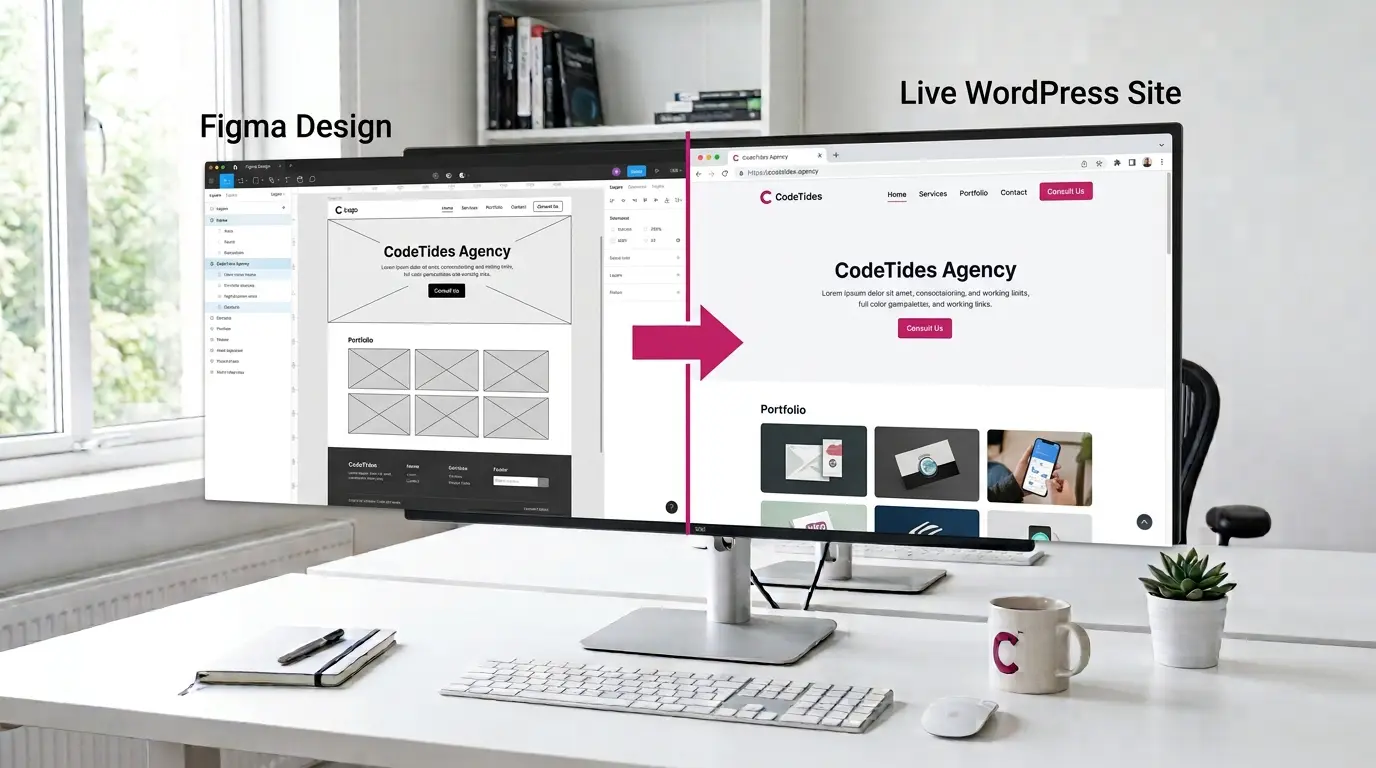
Protecting Search Rankings During a WordPress Migration
The biggest risk in any domain change or platform migration is losing search rankings that took years to build. Google needs to be told that your old URLs have moved — permanently, not temporarily — and the new URLs are the canonical versions of the content.
Every migration I handle that involves URL changes includes a complete redirect map — every old URL matched to its new equivalent, implemented as 301 redirects in .htaccess or Nginx configuration. After migration, I set up Google Search Console for the new domain, submit the updated sitemap, and check for crawl errors in the first week post-launch.
For migrations involving significant URL restructuring, I also advise on which redirects to prioritise based on current search visibility — so the pages that are actually driving traffic get the most attention during the cutover.
WordPress Migration — Common Questions
What clients ask before starting a migration project.
How much does a WordPress migration cost?
WordPress migration cost depends on what's being moved and how complex the move is. A straightforward hosting migration with no URL changes is simpler than a platform migration from Joomla with URL restructuring and redirect mapping. Every migration is quoted at a flat rate after I understand the scope — website migration service cost varies by complexity, not by hours spent — describe what you're moving and I'll send a clear quote within 24 hours. For ecommerce website migration service work involving WooCommerce data, cost reflects the additional complexity of product and order data transfer.
Will my site go down during the migration?
Not if it's done properly. I migrate to the new environment first and test everything via a temporary URL before changing DNS. The live site stays up throughout the process. DNS propagation takes a few hours after the switch — during that time some visitors may see the old site and some the new one, but neither version is unavailable. I schedule DNS changes at low-traffic times where possible.
Will I lose search rankings when I change domains?
Not if the migration includes proper 301 redirects. Every old URL redirected to the correct new URL with a 301 tells Google the page has moved permanently — the ranking signals transfer to the new URL over time. What causes ranking drops is missing redirects (URLs returning 404), incorrect redirect chains, or changing too much content at the same time as the domain. I handle the redirect mapping as part of every domain transfer migration.
Can you migrate my site from Joomla, Drupal, or Wix to WordPress?
Yes. Platform to WordPress migrations involve exporting content from the source CMS, mapping it to WordPress content types, importing it, and setting up URL redirects from the old structure to the new WordPress URL structure. Each platform exports content differently — I've worked with Joomla, Drupal, Blogger, and HTML sites migrating to WordPress. Wix and Squarespace migrations have limited export options, which affects how much content can be migrated automatically vs manually.
How long does a WordPress migration take?
A straightforward hosting migration with no URL changes: 1 business day. A domain change with redirect mapping: 1–2 days. A platform migration from another CMS with content import: 2–5 days depending on content volume. A Figma to WordPress conversion or full HTML to WordPress conversion: 1–3 weeks depending on design complexity. I give you a timeline with every quote so you can plan around the migration date.
Do you handle migrations for agencies managing client sites?
Yes. I regularly handle migrations as a white label resource for agencies — the client never needs to know I was involved. Fixed pricing, NDA available, and I coordinate directly with the hosting team or client's IT contact where needed. For agencies managing multiple client migrations, I can also assist with migration planning and prioritisation across a portfolio of sites.
Ready to Move Your WordPress Site?
Tell me where it's moving from and where it's going — hosting provider, domain situation, any platform changes, and your timeline. I'll assess the migration and come back with a clear approach and flat quote within 24 hours.