WordPress REST API & Third-Party Integrations
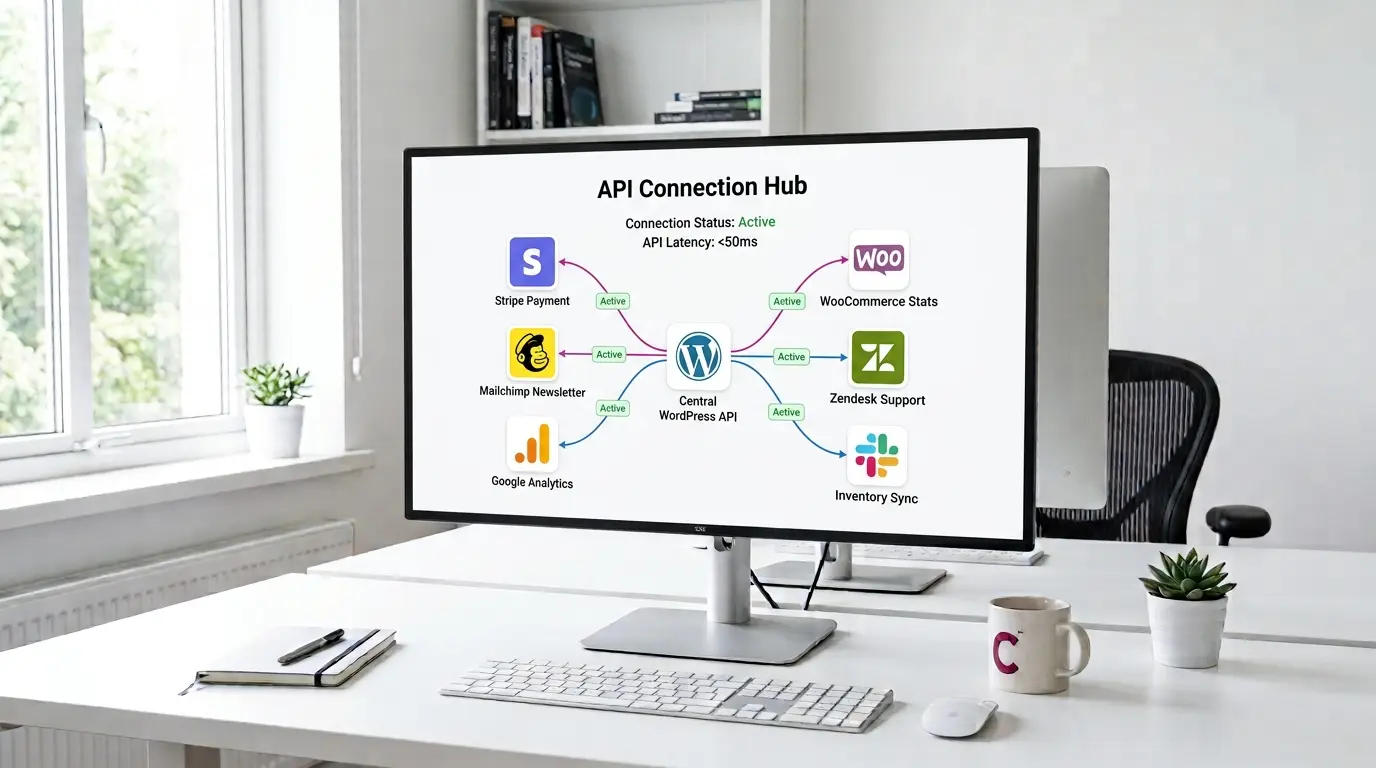
WordPress doesn't exist in isolation. Your site connects to payment providers, CRMs, marketing platforms, fulfilment systems, and business tools — and when those connections are built poorly, they break at the worst moments. A payment that doesn't confirm. An order that doesn't sync. A webhook that fires and disappears into nothing.
I build custom WordPress API integration solutions — from wordpress external api integration to internal tool connections — handling the full lifecycle — authentication, data mapping, error handling, webhook processing, and logging. Not a Zapier workaround that breaks when your data structure changes, but a proper wordpress third party integration built directly into WordPress using the right APIs on both sides.
As a WordPress developer with 12+ years of experience and 5,833+ CodeCanyon sales, I've built integrations between WordPress and payment providers, CRMs, marketing platforms, ERP systems, and custom internal tools. If the service has an API, I can connect it to WordPress cleanly.
Elite Envato Author since 2012 — API integrations built by a developer who understands both sides of the connection.
WordPress Integration Services — What I Connect
Every integration starts with understanding what data needs to move, in which direction, how often, and what happens when something goes wrong. Here are the most common integration types I build.
Payment Gateway Integration
Stripe, PayPal, and regional payment providers that don't have official WordPress or WooCommerce plugins. I build custom payment integrations that handle the complete transaction flow — checkout form, API call, success and failure handling, order confirmation, refunds, and webhook reconciliation. If your payment provider has an API, I can connect it to your WordPress site or WooCommerce store properly.
CRM Integration WordPress
Custom wordpress crm integrations connect your WordPress forms, WooCommerce orders, and user registrations to your CRM — HubSpot, Salesforce, Zoho, or a custom CRM system. CRM integration for WordPress goes beyond a plugin that pushes contact data. I build integrations that map your WordPress data structure to your CRM's field schema, handle duplicates, sync bidirectionally where needed, and log what was sent and what was received.
Marketing Platform Integrations
Mailchimp, ActiveCampaign, Klaviyo, and other marketing platforms connected to WordPress in ways the official plugins don't support — custom list segmentation based on WooCommerce purchase history, triggered automations based on WordPress user behaviour, or syncing data fields the standard integration doesn't map. I build the custom wordpress integration layer that makes the connection work the way your marketing setup requires.
Google API WordPress Integration
Google Maps for location-based WordPress features, Google Sheets for data export and reporting, Google Analytics custom event tracking, Google Search Console data in WordPress admin, and other Google API wordpress integration work. Each Google API has its own authentication and quota requirements — I handle the OAuth setup, credential management, and rate limit handling so the integration works reliably at scale.
Webhook & Automation Integrations
Receiving webhooks from payment providers, shipping carriers, or third-party platforms and processing them in WordPress. Sending webhooks from WordPress to trigger actions in external systems. Building wordpress webhook receivers and zapier wordpress integration alternatives where Zapier's limitations — data volume, step restrictions, or data structure mismatches — make a direct integration the better solution.
Headless WordPress & REST API
The WordPress REST API exposes your content, users, and custom data as JSON endpoints — enabling headless WordPress architectures where a React, Vue, or mobile app consumes WordPress content without the WordPress front-end. I build custom REST API endpoints, handle authentication, and structure the WordPress back-end to serve as a clean content API for decoupled front-ends.
Stripe Integration & Payment API Development
Stripe is the most requested payment integration I work on — both standalone WordPress stripe integration and as part of WooCommerce builds. The official Stripe WooCommerce plugin covers standard use cases. When you need something the plugin doesn't support — custom payment flows, stripe connect wordpress marketplace payments, Stripe billing for subscription models, or Stripe integration with a non-WooCommerce WordPress site — that requires custom development.
I build stripe wordpress integration solutions that handle the complete payment lifecycle: payment intents, 3D Secure authentication, webhook event processing, refund handling, and Stripe dashboard reconciliation. The same applies to wordpress paypal integration work — custom PayPal flows that go beyond what the standard plugin supports.
For WooCommerce payment gateway work specifically, see the WooCommerce development service →. For standalone payment integration on non-WooCommerce WordPress sites, this is the right service.
WordPress REST API Development
The WordPress REST API is how modern WordPress applications communicate — and custom wordpress rest api integration is how you extend it beyond the defaults — with the front-end, with mobile apps, and with external services that need to read or write WordPress data programmatically. Out of the box, the wp rest api exposes posts, pages, users, and media. Custom post types, custom fields, and application-specific data need custom endpoints — extending the wordpress json api beyond what WordPress ships with.
As a headless wordpress developer, I build custom WordPress REST API endpoints that expose exactly the data your application needs — with proper authentication (application passwords, OAuth, JWT), capability checks, response formatting, and rate limiting where required. Whether you're building a headless WordPress front-end, a mobile app that reads WordPress content, or an internal tool that writes data back to WordPress, the REST API layer needs to be designed, not just enabled.
WordPress API Integrations — Common Questions
What clients ask before starting an integration project.
How much does a WordPress API integration cost?
Integration cost depends on complexity — what's connecting to what, how much data moves, whether it's one-way or bidirectional, and how much error handling and logging is required. A simple webhook receiver might take a day. A full CRM integration wordpress build with bidirectional sync, field mapping, and conflict resolution could take two weeks. I quote every integration at a flat rate after reviewing the requirements — describe what needs to connect and I'll respond with a clear scope and cost within 24 hours.
Can you integrate a service that doesn't have a WordPress plugin?
Yes — that's the core of what this service covers. If the external service has a REST API, SOAP API, or webhook support, I can build the WordPress integration. I work with API documentation directly rather than relying on existing plugins, which means the integration is built to your specific data structure rather than a generic plugin's assumptions about what you need.
What's the difference between using Zapier and a custom WordPress integration?
Zapier works well for simple, high-level automation — send a form submission to a spreadsheet, add a WooCommerce customer to a mailing list. It breaks down when you need complex data mapping, high data volume, real-time webhook processing, or custom business logic. A direct wordpress api integration handles data the way your business actually works — not the way Zapier's step model allows. It's also more reliable, faster, and doesn't have per-task pricing that scales against you as volume grows.
Do you handle authentication and security for API integrations?
Yes — authentication is often the most complex part. OAuth flows, API key management, webhook signature verification, and secure credential storage in WordPress are all part of the integration build. I don't store API credentials in plaintext in the database or expose them in source code. Security is built into the integration from the start, not added as an afterthought.
What happens when the integration breaks or the external API changes?
Every integration I build includes error logging — failed requests are recorded with enough detail to diagnose what went wrong. For webhook integrations specifically, I build retry logic so transient failures don't result in lost data. When an external API changes (versioning, endpoint deprecation, authentication updates), I provide maintenance at an agreed rate. The integration is yours — you're not locked into using me for updates, but I'm available if you need them.
Can you build a headless WordPress setup with a custom REST API?
Yes. Headless WordPress — what a headless wordpress agency or development team uses as a content back-end with a decoupled front-end framework — requires custom REST API endpoints, proper authentication for the front-end application, and sometimes custom post type and field structures designed for API consumption rather than WordPress admin editing. I provide headless wordpress development services covering the WordPress side of headless setups: the API layer, the content model, and the authentication mechanism the front-end framework needs to consume WordPress data.
Ready to Connect WordPress to Your Business Tools?
Describe what needs to connect — the WordPress side, the external service, and what data needs to move between them. I'll assess the integration, explain the approach, and send a flat quote within 24 hours.